
SMTP is used to send emails from the LogPoint.
Go to Configure >> Settings >> System >> SMTP Settings.
Select the LogPoint instances where you want to configure the SMTP settings.
Click Next.
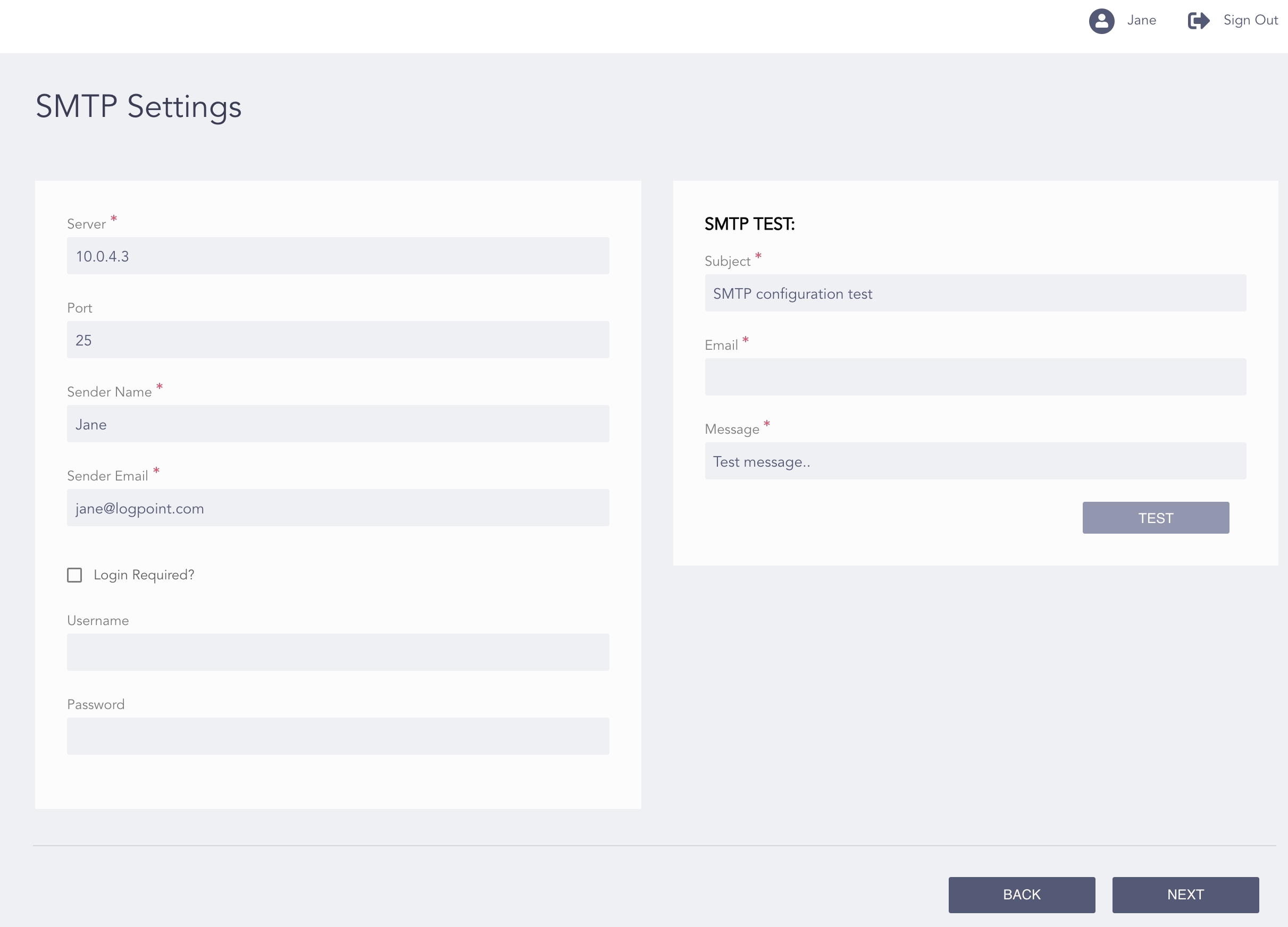
Configuring the SMTP Settings
Enter the Server address and the Port number of the SMTP server.
Enter the Sender Name and the Sender Email.
Click Login Required if you want to enable an authentication mechanism for sending emails and alerts. Enter a Username and a Password.
Note
To test the SMTP configuration:
In the SMTP TEST section, enter the Subject of your test email.
Enter an Email address.
Enter a Message.
Click Test.
Click Next.
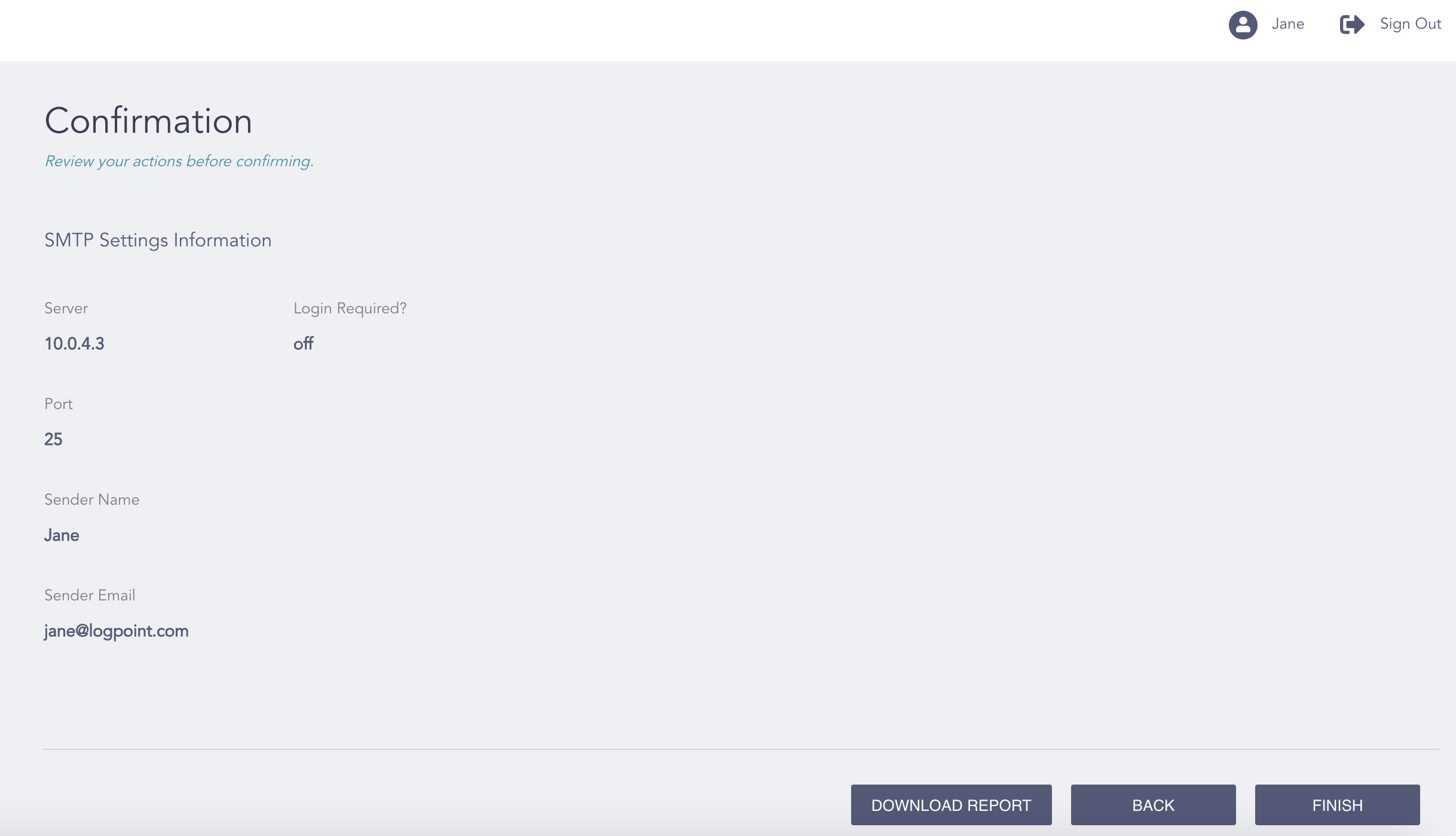
Confirming the Changes
Review your changes. You can go Back to make any changes if necessary.
Note
Click Download Report to save the summary of the task in PDF.
Click Finish.
Click OK.